ATX4VC
ATX4VC: ATX Power on Retro Computers!
| Buy ATX4VC | Discord | User Manual | Table of Contents |
ATX4VC lets you use ATX power supply on vintage computers.
- Plug in ATX PSU on one end
- Get 12V, 5V, 3.3V, -12V, -5V out the other!
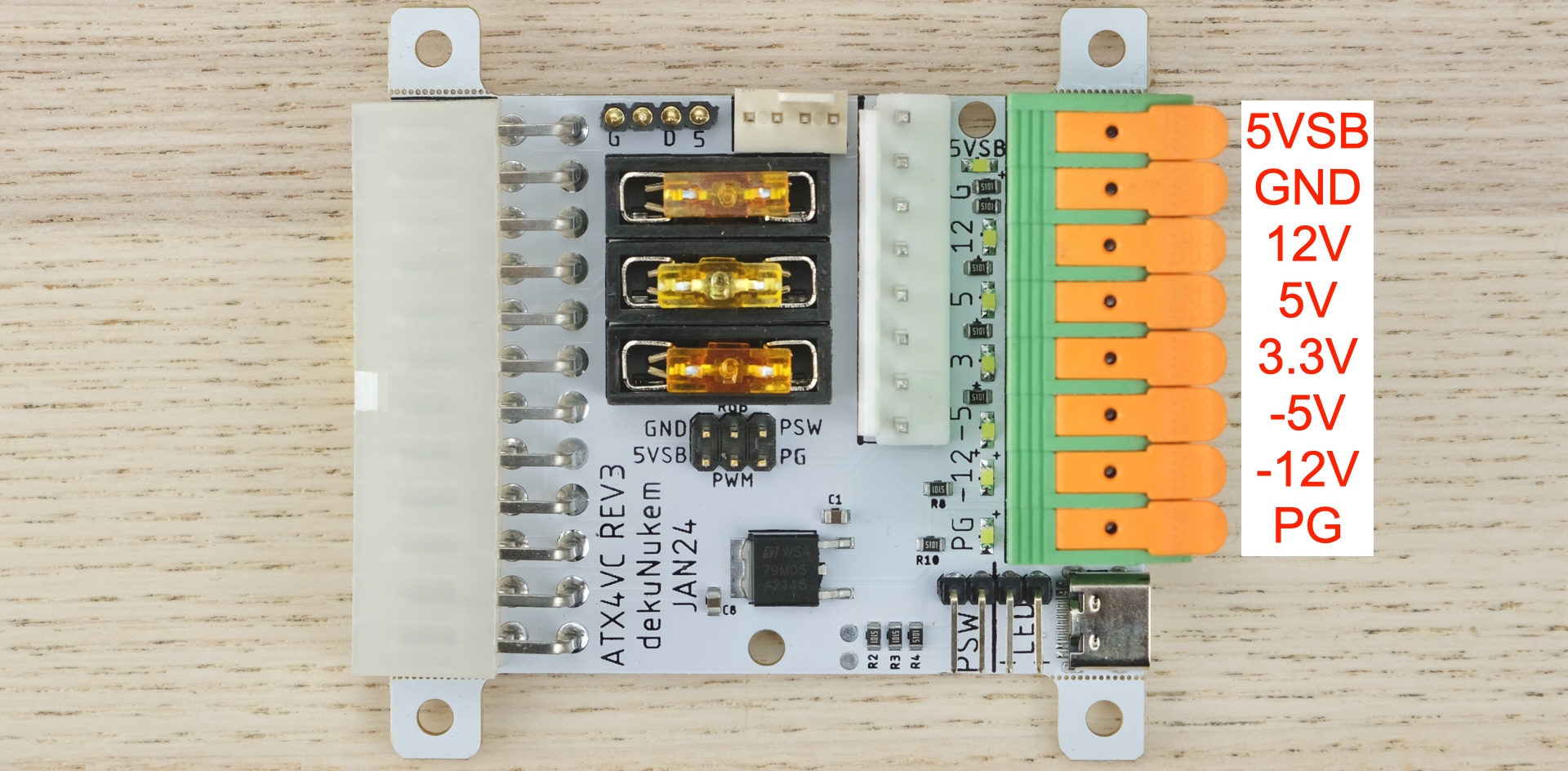
Features:
- All common voltage rails: +12V, +5V, +3.3V, -5V, -12V.
- Also
5V StandbyandPower-Good
- Also
- Toolless Lever-Actuated Terminal Block
- USB-C Power Output
- 2x PC Fan Headers
You can use ATX4VC to:
- Replace retro computer PSUs
- Test and diagnose vintage hardware
- As general-purpose multi-voltage bench PSU
Get ATX4VC
PicoRC
Also check out PicoRC for device-specific and lower-cost PicoPSU adaptors.
Showcase
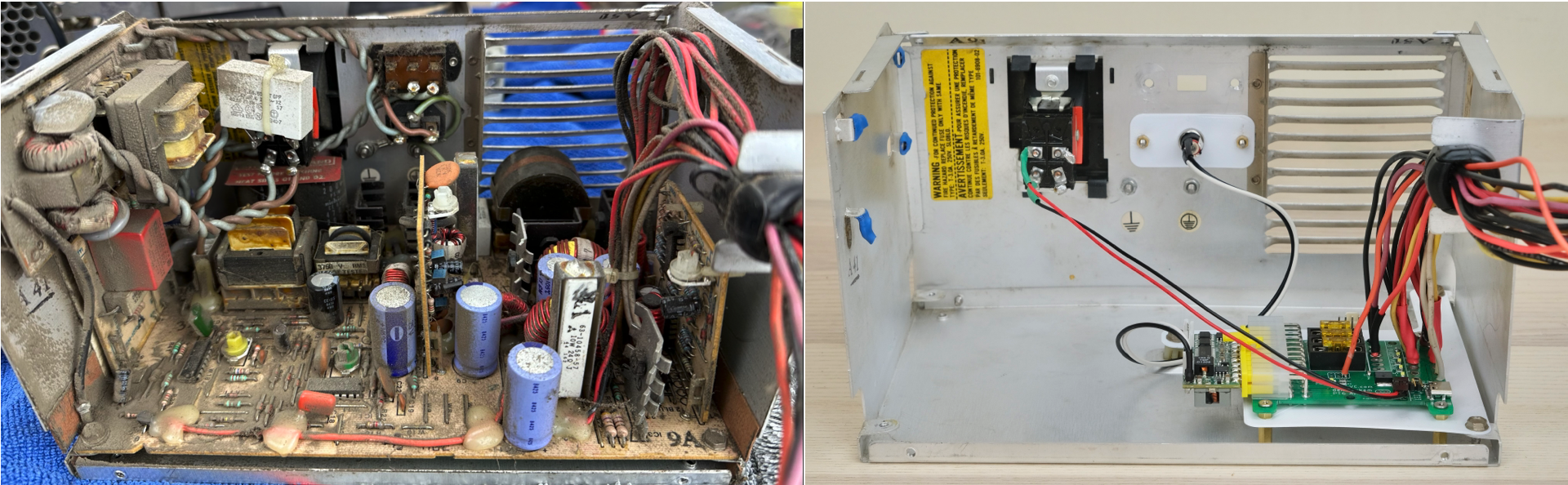
Here ATX4VC replaces the dead PSU in my IBM 5155 Portable PC, providing +12, +5, -12, and -5V.
Note the significant simplification and space/weight saving.
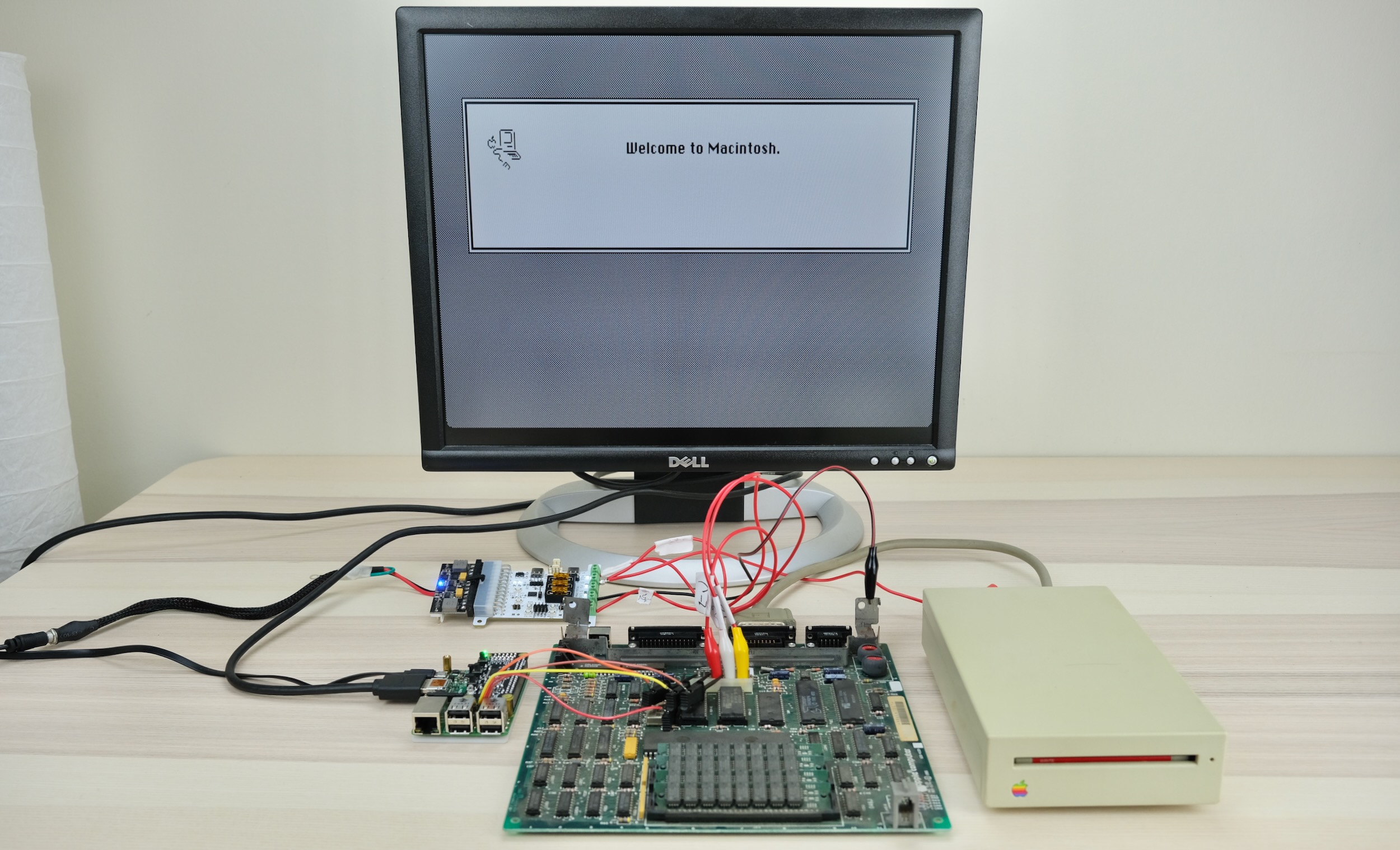
It also works as a multi-voltage bench PSU for testing and diagnostics.
Here it powers a Macintosh Plus motherboard with +12, +5, and -12V.
Why
Power supplies are a major failure point of old computers today.
Those early PSUs are heavy, inefficient, and (slightly) explosive! After 40 odd years, many are not working, or worse might cause damage with out-of-spec voltages.
ATX4VC is designed to replace them with much more reliable modern ATX PSUs, and help test and diagnose vintage computers.
User Manual
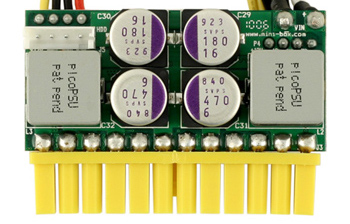
ATX vs Pico PSU
ATX4VC works with any ATX PSU.
Although for permanent retrofitting, a PicoPSU is recommended due to its compact size.
- Official website and distributors
- The cheapest 80W one should be plenty for most
- The 160W variant is recommended if using many expansion cards and/or spinning hard drive
- Avoid generic clones
- They over-rate and are of low quality
- A power brick with 12V DC and center positive 5.5x2.5mm barrel jack is also needed.
- They are very popular and you might already have one
- Make sure it has enough wattage
Quick Start
- Don’t connect any load yet!
- Plug in ATX connector
- On Power Mode switch, select Soft Power (left position).
- Press the button
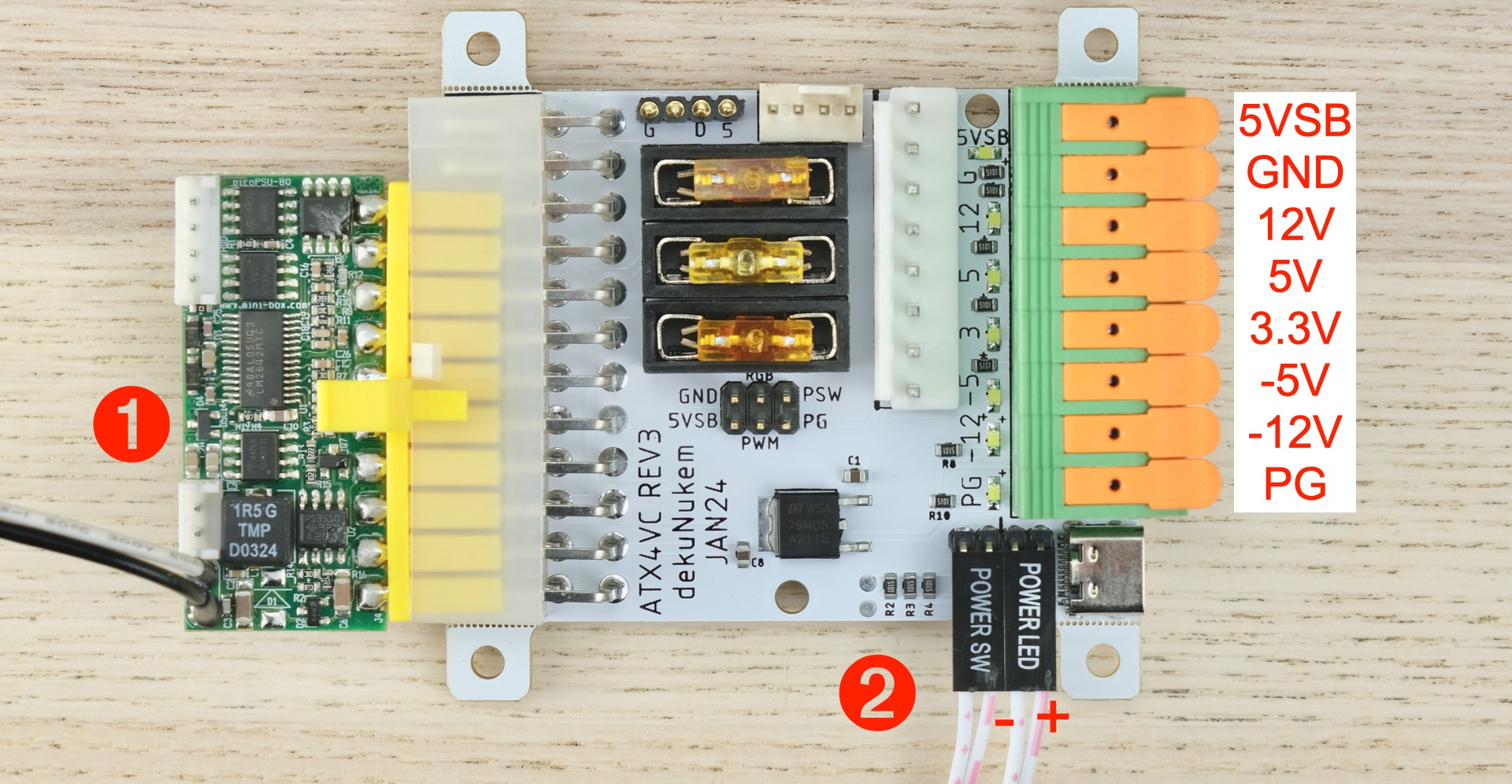
PSU should turn on, voltage rail LEDs should light up.
That’s the gist of it! Please do keep reading for more info.
Power Modes
- Soft Power
- Short press once to turn on
- Short press again to turn off
- Suitable for momentary push buttons
- Hard Power
- Hold down to power on
- Release to power off
- Suitable for latching buttons / flip switches
- Connected directly to ATX PS_ON Signal
External Power Button and Power LED
You can also attach an external power button and power LED to the headers below:
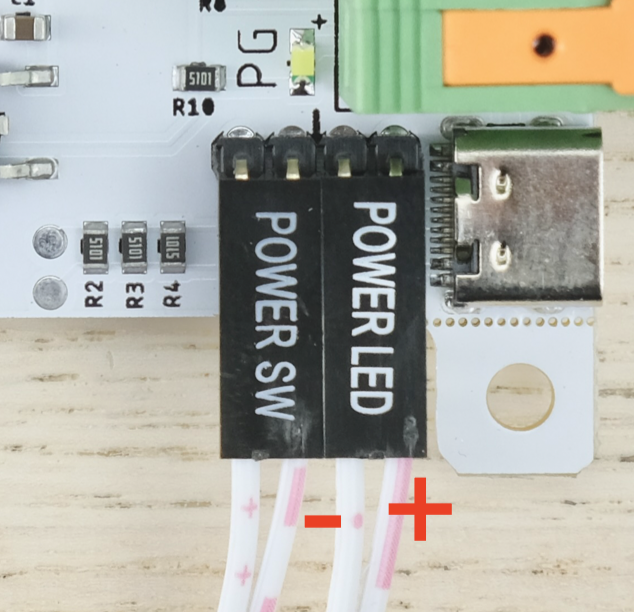
- Note LED polarity
- LED header has built-in 330 Ohm resistor
- Select suitable power mode
- Soft Power: Momentary Pushbuttons
- Hard Power: Latching Buttons / Flip Switches
Power Connection
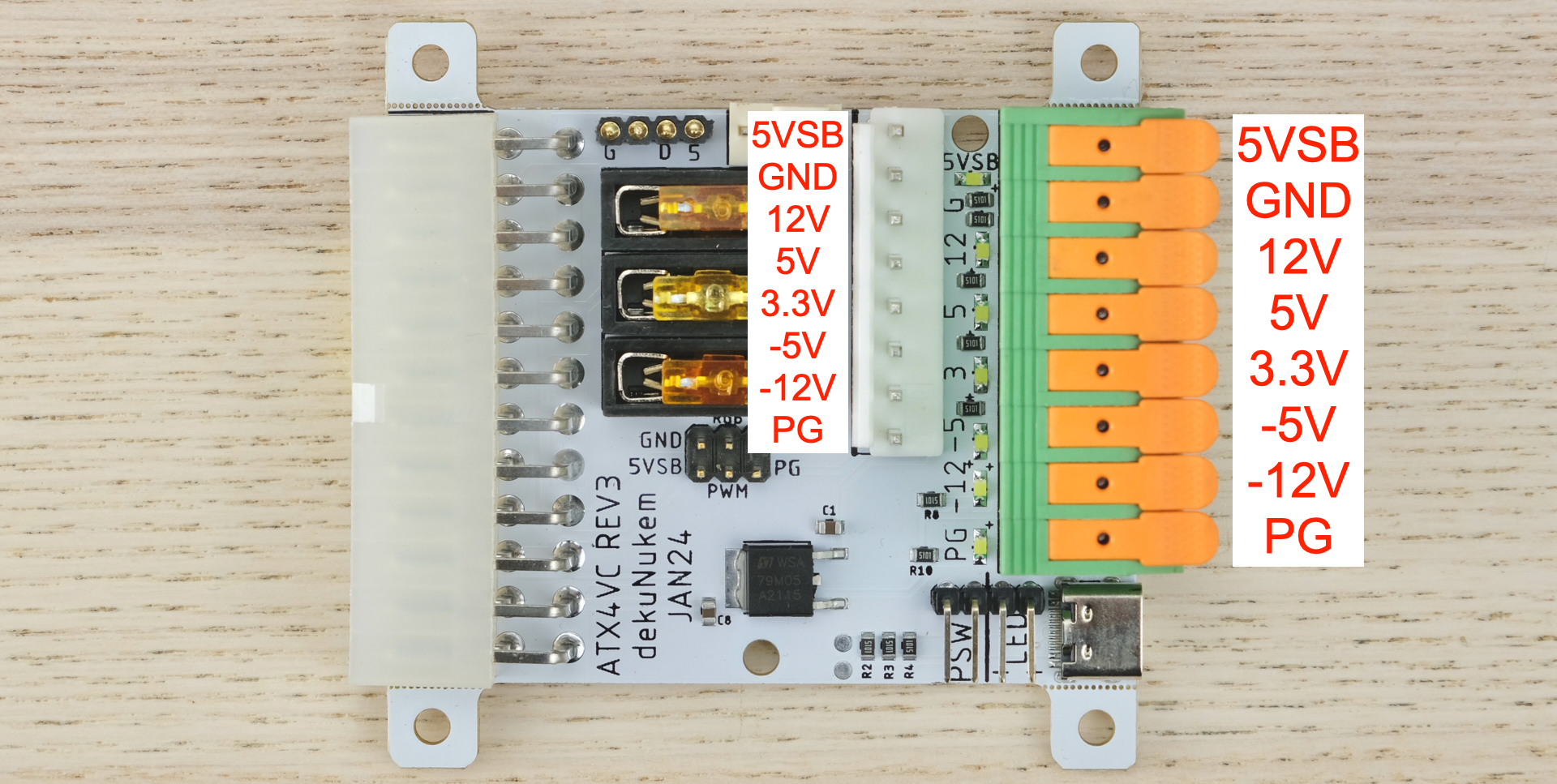
- See photo for power rails
- For aux output harness, use 8P JST VH 3.96 female connector.
- 5VSB = 5V Standby
- Available even when PSU is off
- Power Good Signal
- 5V when all rails are stable
- 0V otherwise
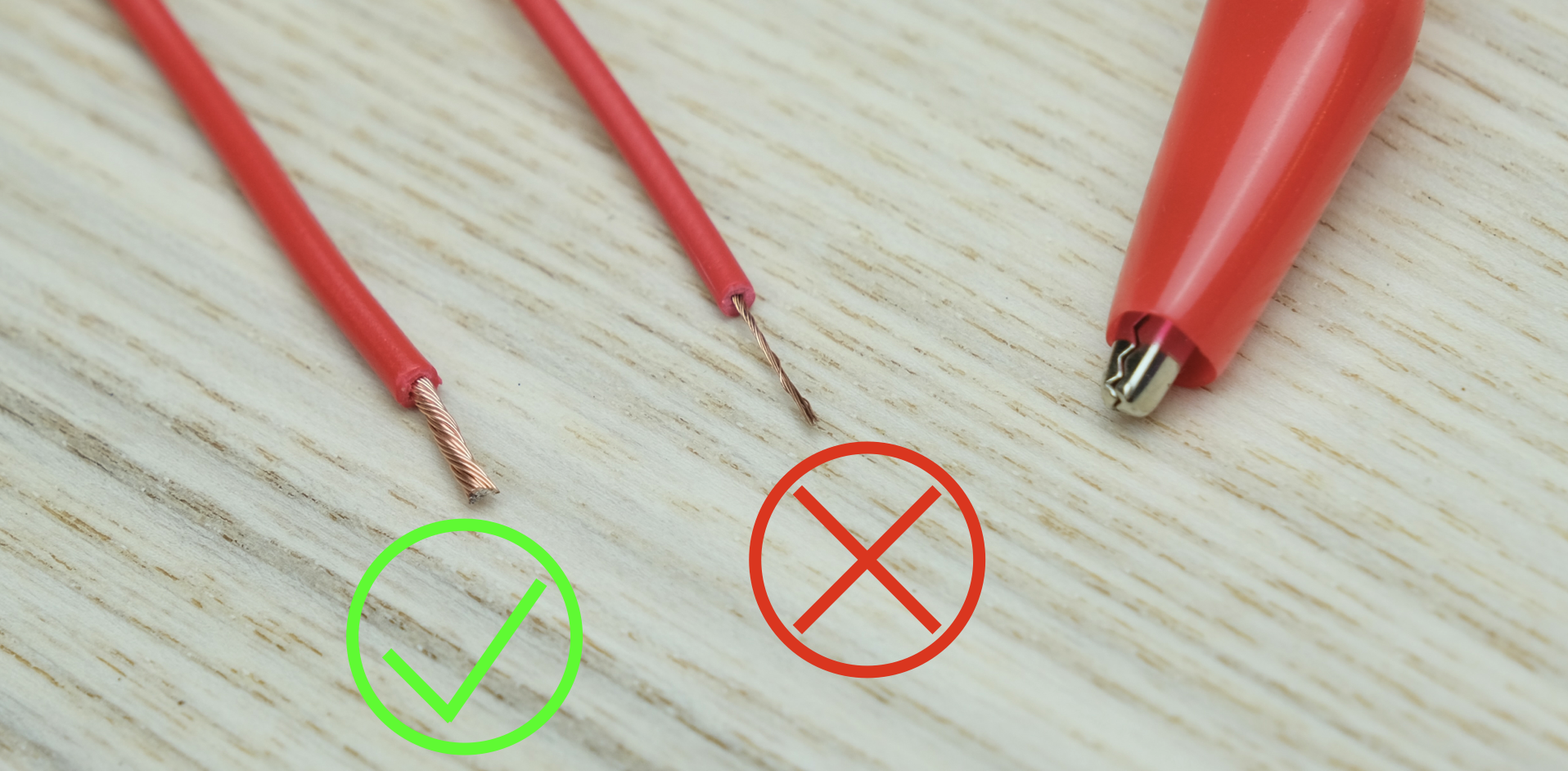
To connect a wire:
- Strip the insulation about 12mm / 0.5in.
- Lift handle, insert, push back down.
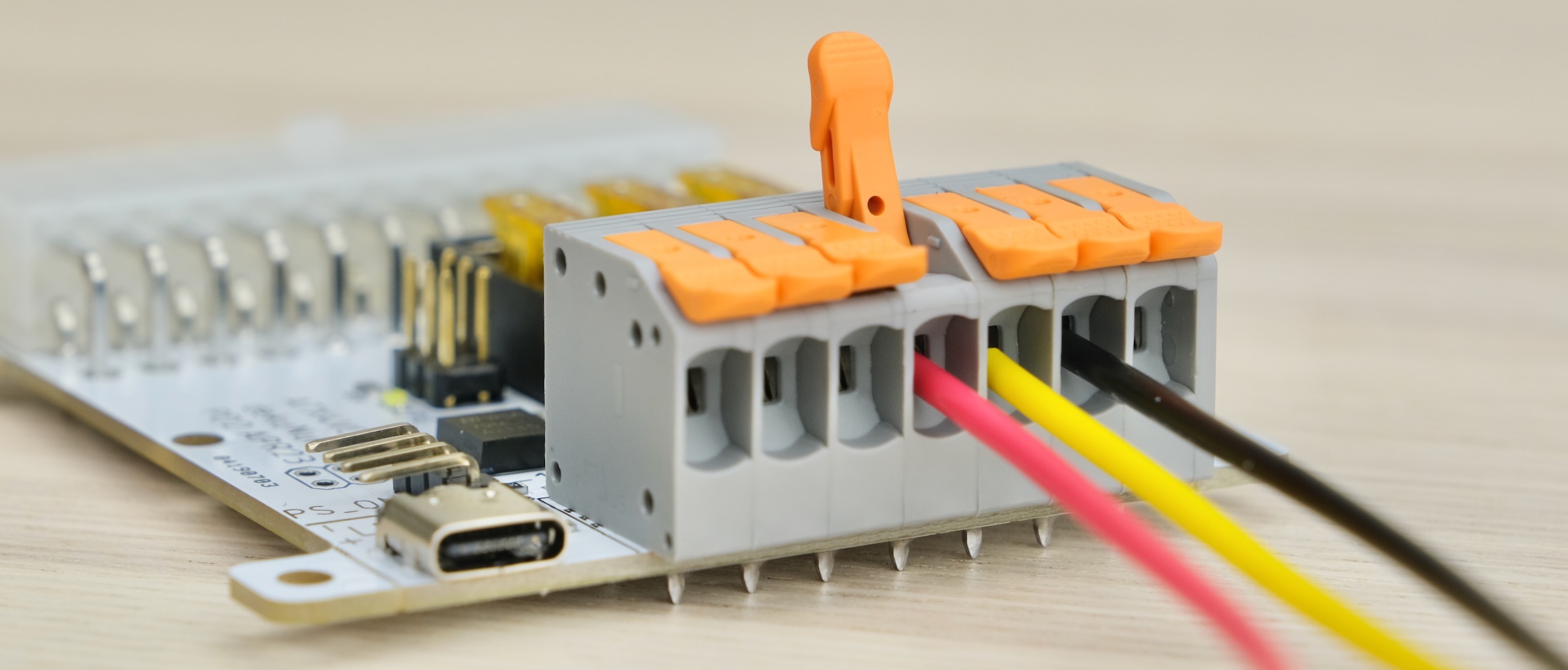
Also, make sure the conductor is thick enough!
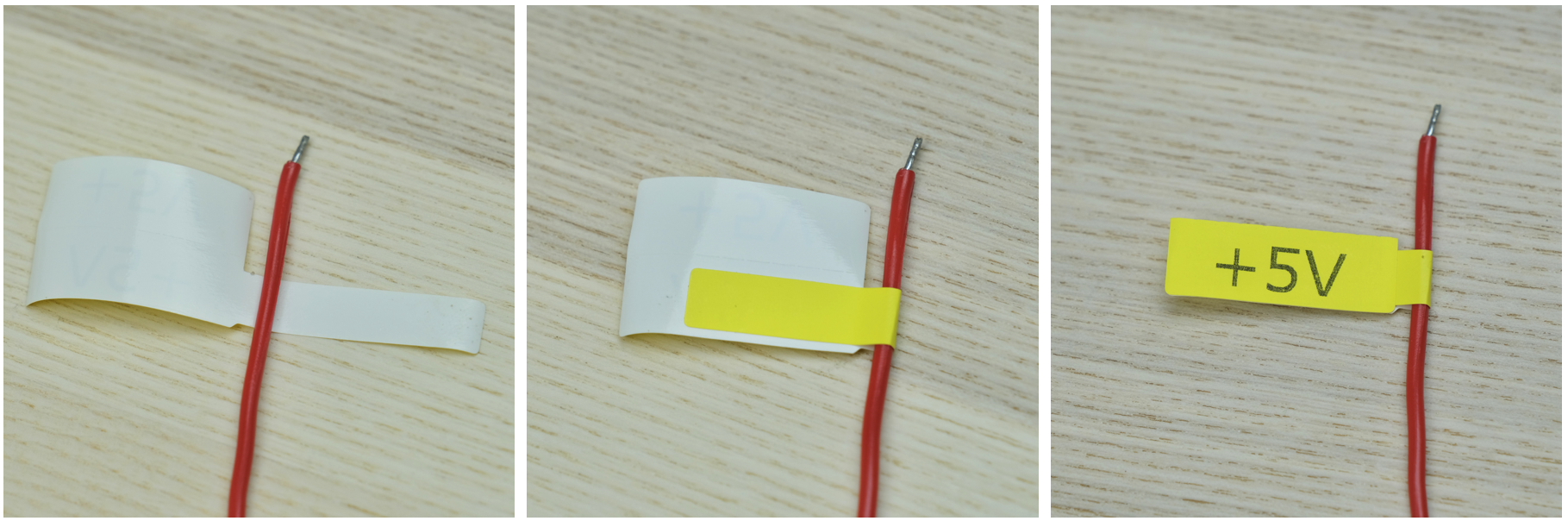
Label the rails, vinyl stickers are available on the product page:
Pre-flight Checks
Before powering up:
- Double check the correct voltage terminal is used
- Check for dead shorts between each voltage rail and GND, and between themselves!
Once powered up:
- Check voltage readings on each rail
Remember that ATX4VC DOES NOT monitor or condition voltage rails, so ensure the PSU itself is of good quality and trustworthy!
Current Limit
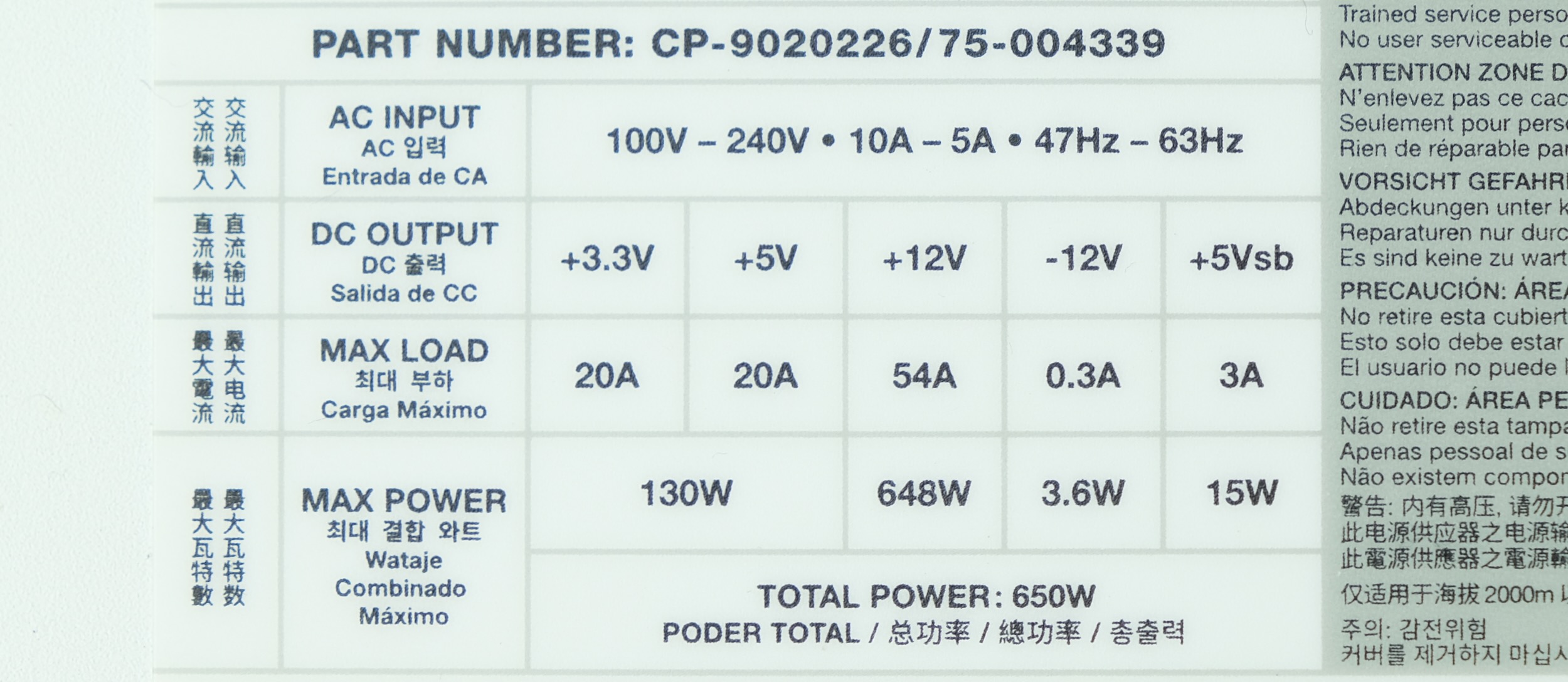
5 AMPS MAXOVER ANY SINGLE RAIL7 AMPS MAXTOTAL CURRENT OVER ALL RAILS
If more is needed, tap the power directly from a Molex connector.
See your PSU label or datasheet to see how much current it can provide:
Fuses
- USE FUSES RATED 5A OR LESS
- DO NOT BYPASS FUSES
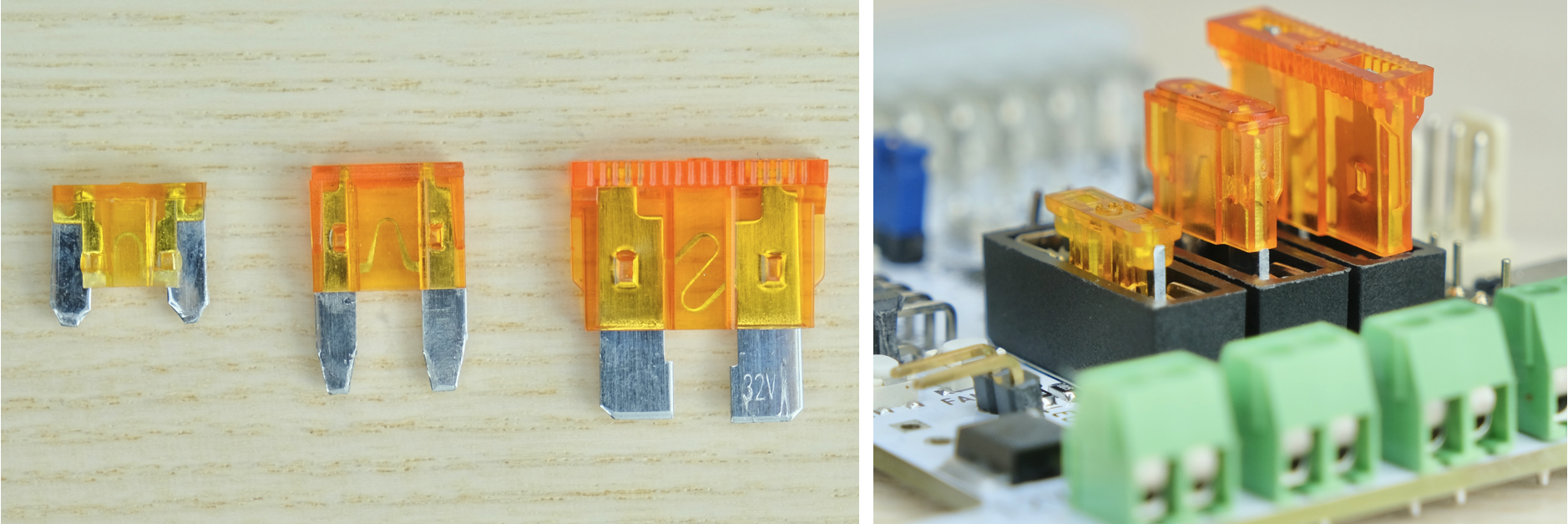
ATX4VC uses common automotive fuses.
Regular, Mini, and Low-profile Mini all work.
Simply push into the holder.
Fan Headers
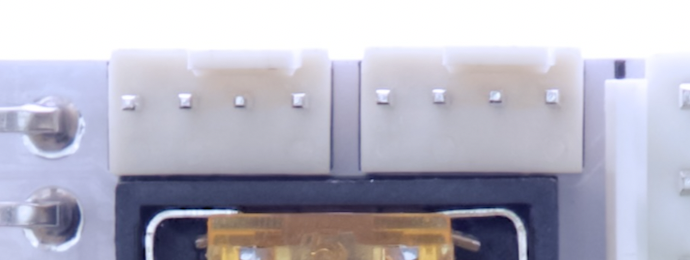
Two PC Fan headers are available. You can plug in any regular 12V PC fan, both 3-Pin and 4-Pin.
USB-C Power Output
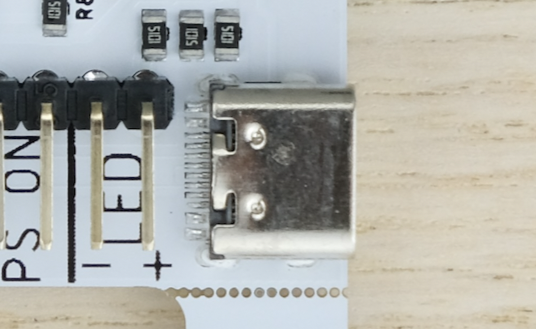
An USB-C port is available for powering external devices.
- OUTPUT ONLY, DO NOT BACKFEED with another powered device.
Questions or Comments?
Feel free to ask in official Discord Chatroom, raise a Github issue, or email dekunukem gmail.com!