duckyPad
duckyPad: Do-It-All Mechanical Macropad
| Get duckyPad | Official Discord | Getting Started | Table of Contents |
duckyPad is a 15-key mechanical macropad for power users who demand advanced macro scripting and customisation beyond the shackles of QMK/VIA.
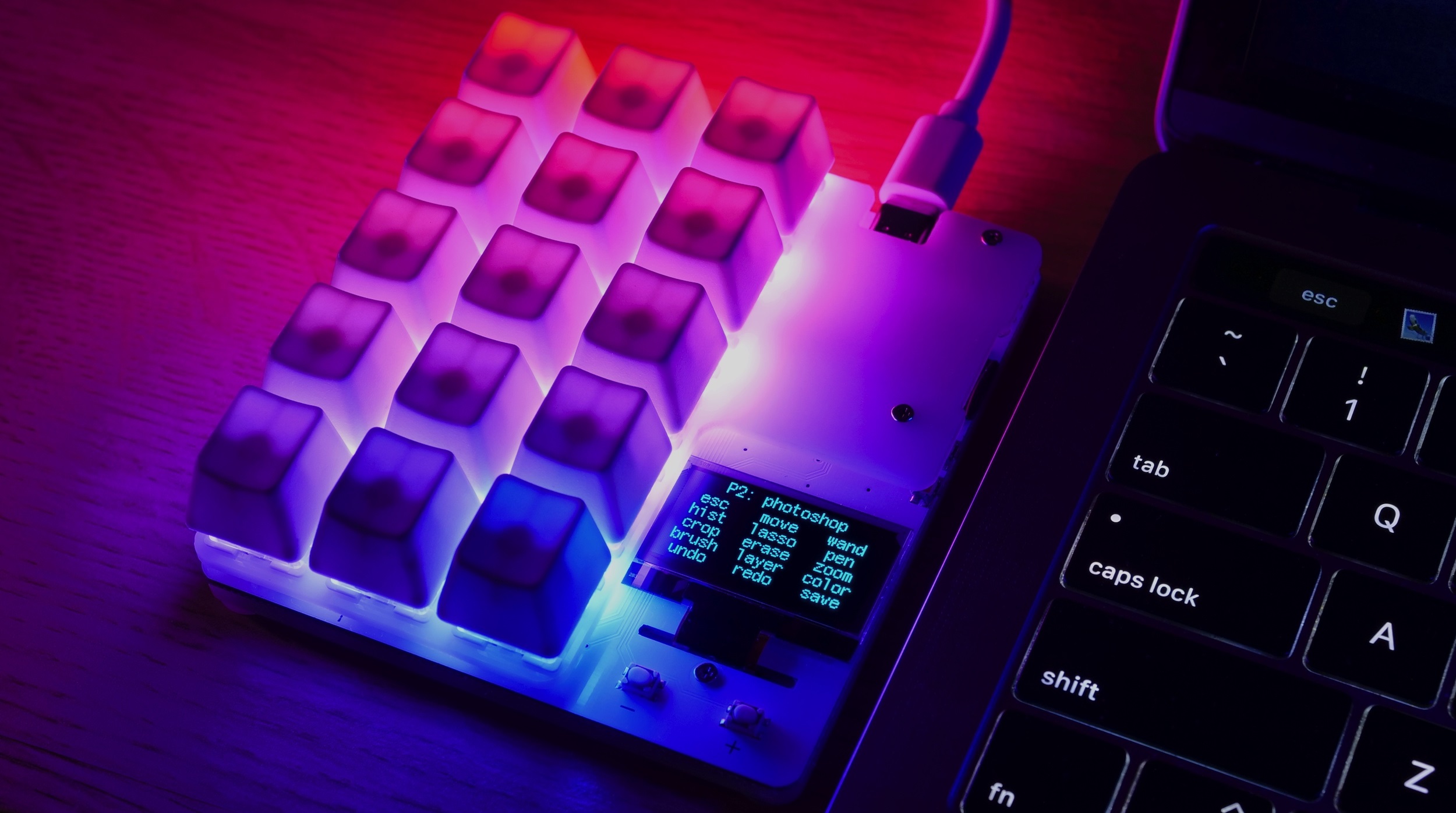
Using a turing-complete scripting language, you can automate any keyboard/mouse input you want, from simple combos to full-blown programs.
Get One
duckyPad was successfully funded on Kickstarter thanks to the amazing backers!
- Now Available on my Tindie Store
Highlights
duckyPad has all the basics:
- Hot-swap
- Per-key RGB
- Fully open-source
But also unique features not seen anywhere else:
- Custom duckyScript engine, NOT QMK/VIA.
- Longer and more complex macros
- OLED screen
- 32 profiles of 15 keys, 480 macros total.
- Automatic profile switching based on active window.
- microSD storage, move between devices with ease.
- No proprietary drivers, works out-of-box.

duckyScript vs QMK/VIA
duckyPad uses duckyScript, originally designed for USB Rubber Ducky.
Compared to QMK/VIA, you get:
- Much Longer Macros
- Entire Bee Movie in one macro? Yes please!
- Up to 480 macros
- Turing-Complete Scripting
- Variables, conditions, loops, functions, and more.
- Executed on 32-bit Bytecode VM
- With Scratch and Non-volatile Memory
- Advanced Interactions
- Reading Buttons
- Print to OLED screen
- Change RGB Color
- SD Card Storage
- Fast Configuration / Backup / Deployment
- No sketchy drivers or apps
- No recompiling
While QMK/VIA are great for regular keyboards, they are rather limited at input automations.
duckyScript is a no-brainer for power users with more demanding scripting needs.
🆕 duckyPad Pro
duckyPad Pro is an updated model with:
- Rotary Encoders
- More Keys
- Bluetooth
- Bigger Display
- More Script Storage
- Expansion Module
| 👉👉👉 Purchase Link | More Info |

Discord Community
Feel free to join our Official Discord for discussions, questions, sharing scripts, and latest updates!
How It Works / Showcase
-
Create up to 32 profiles, one for each application.
-
Assign up to 15 keys per profile
-
Names are shown on OLED screen
-
Write a duckyScript for each key
Easy Start
-
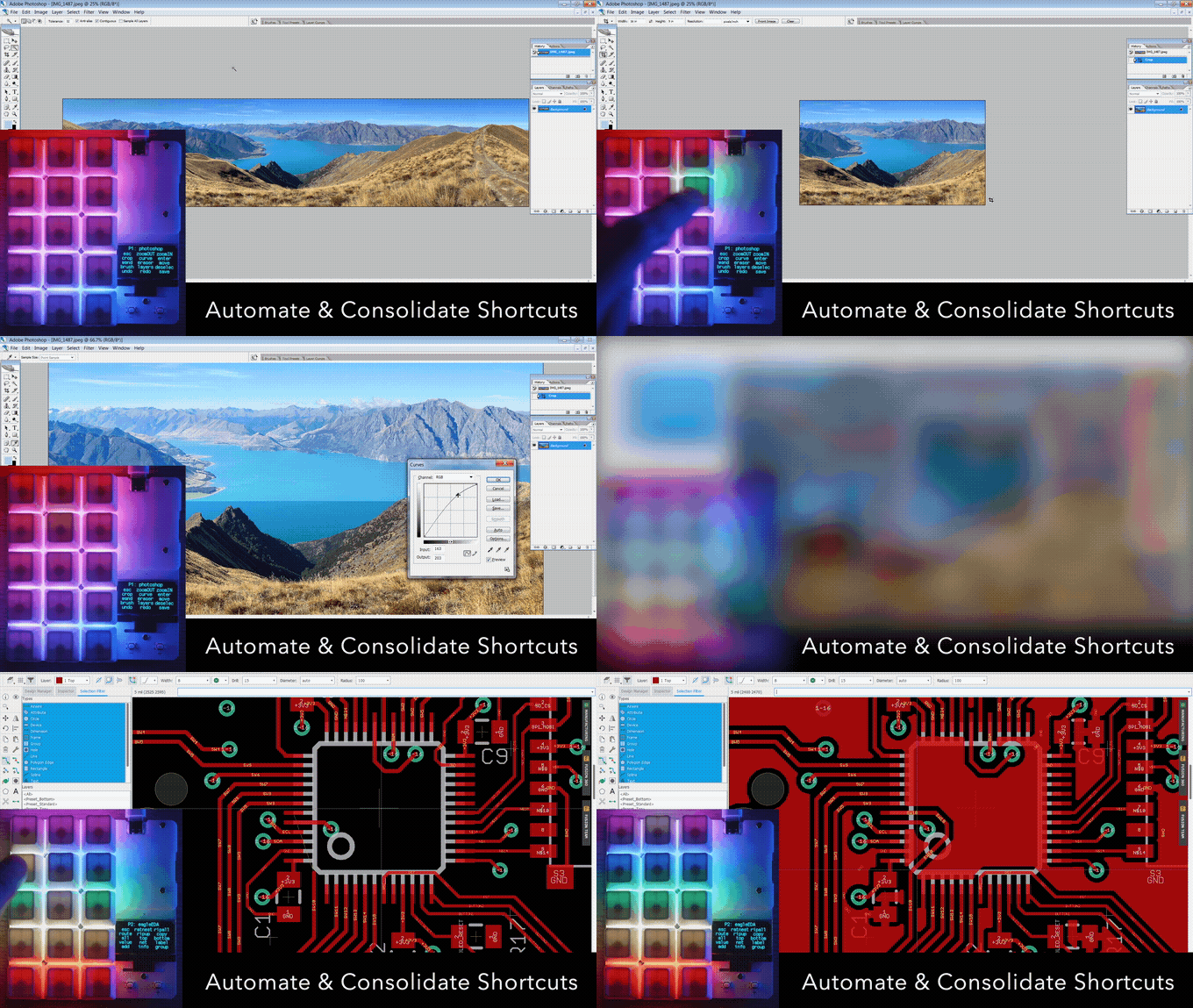
duckyScript is a language for automating inputs
- At simplest, you just tell it what key to press!
-
Such as key combos of your favorite app
CTRL a , CTRL +, etc.
Up a Notch
-
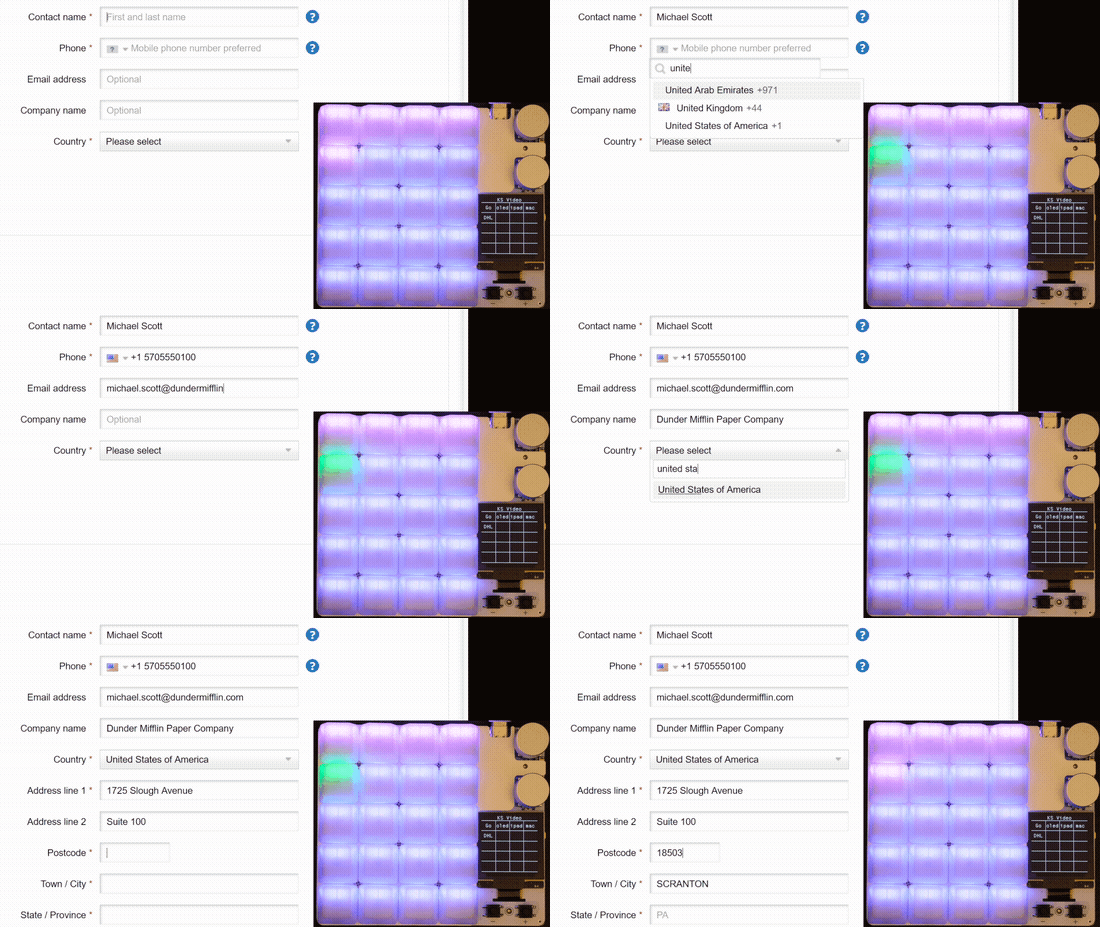
Once familiar, you can write longer multi-line macros to further speed up everyday task.
-
Such as filling forms and typing boilerplate text with one keypress.
STRING Michael Scott
TAB
STRING United States
ENTER
STRING 5705550100
TAB
STRING michael.scott@dundermifflin.com
TAB
Or a simple mouse jiggler:
WHILE TRUE
	MOUSE_MOVE $_RANDOM_INT $_RANDOM_INT
	DELAY 100
END_WHILE

Full Potential
- Going all-out, duckyScript is a Turing-Complete general-purpose language.
- You can use it to:
- Read Buttons
- Write to OLED screen
- Change RGB colors
- Perform operations with 32-bit variables, conditions, loops, function calls, and more!
- Write ultra-specific macros for your exact needs
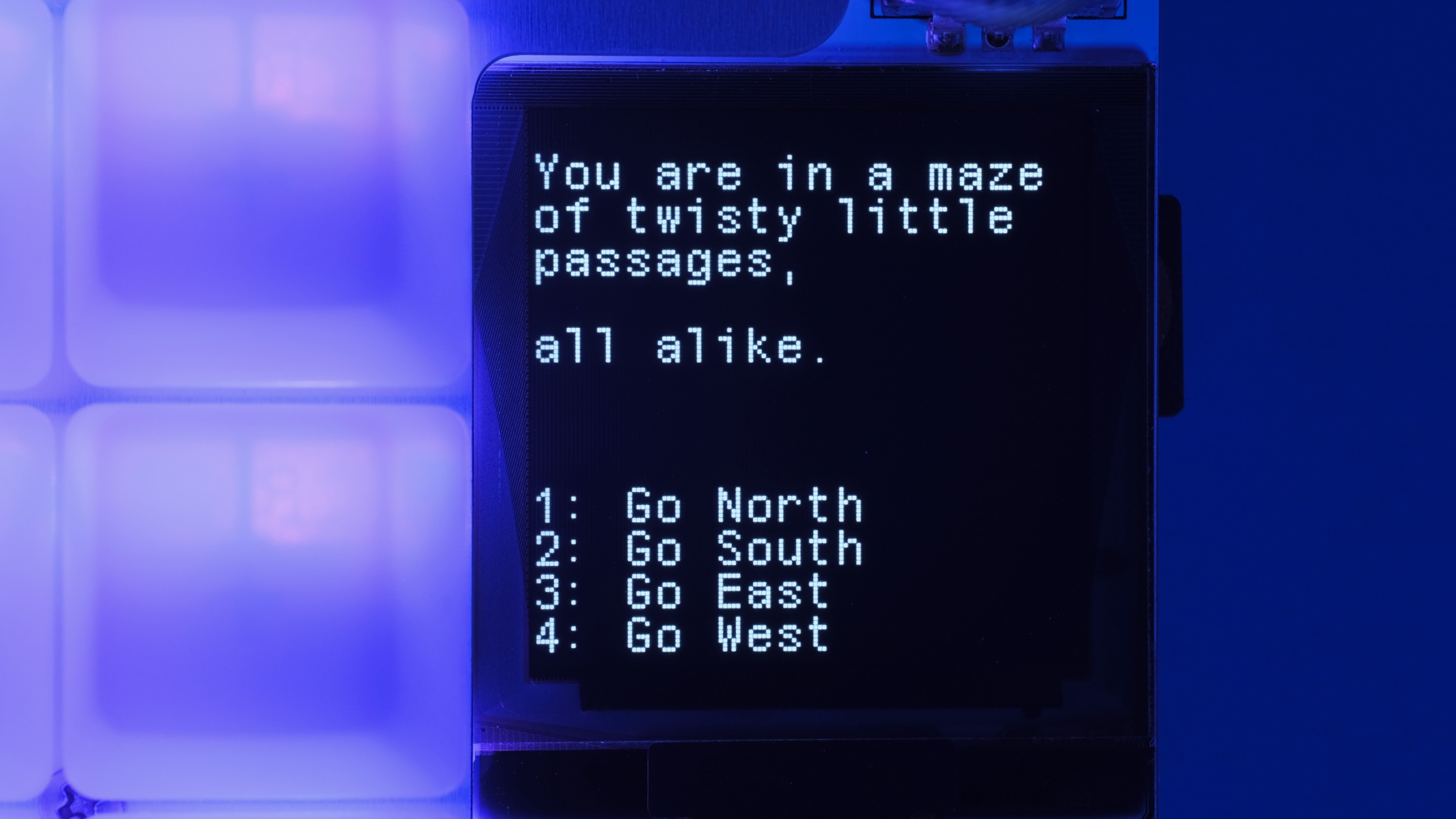
RGB_SET 1 128 0 255

OLED_PRINT You are in a maze
OLED_PRINT of twisty little passages

VAR choice = _READKEY

IF choice == 1
    OLED_CURSOR 0 10
    OLED_PRINT It is a dead end.
    OLED_PRINT Something moves
    OLED_PRINT behind you.
END_IF
Hackerman
- Of course, by automating HID inputs, you can take over an entire computer with the push of a button!

- This is known as BadUSB attack, and was the original purpose of USB Rubber Ducky.
Nothing Like It
-
From simple shortcuts to full-blown programs, duckyScript can easily achieve what was impossible on QMK/VIA.
-
Each macro can contain over 50,000 characters
-
Store 480 macros in total
-
Executed on custom virtual stack machine
Features
Switches & Keycaps
duckyPad is compatible with Cherry MX-style mechanical switches (3 or 5-pin).
By default, duckyPad comes with blank translucent ABS R4 keycaps:
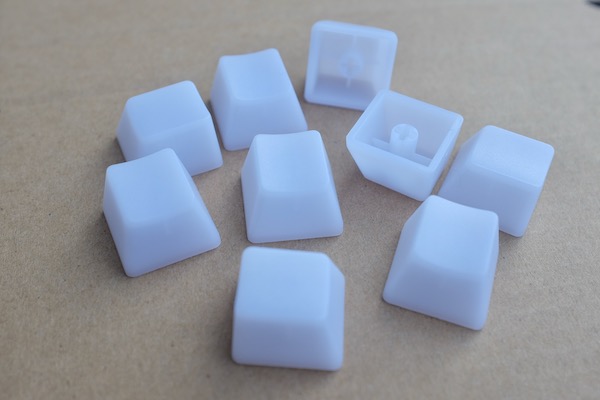
You can use your own as well.
Hot-swap Sockets
duckyPad supports hot-swapping with Kailh sockets.
You can install/remove the switches by hand, no soldering needed.
Per-key RGB backlight
Each key on duckyPad has its own RGB backlight. User-configurable colour & brightness.
OLED screen
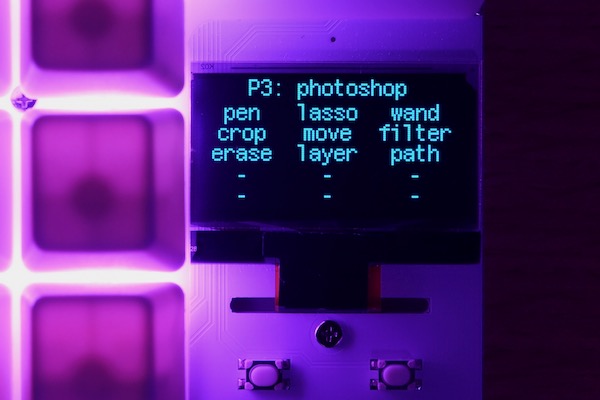
duckyPad has an OLED screen. It displays current profile and key names, so you know what each key does at a glance.
- 128x128
- 1.3 inch
- High contrast with true black
- Burn-in Prevention
Companion App
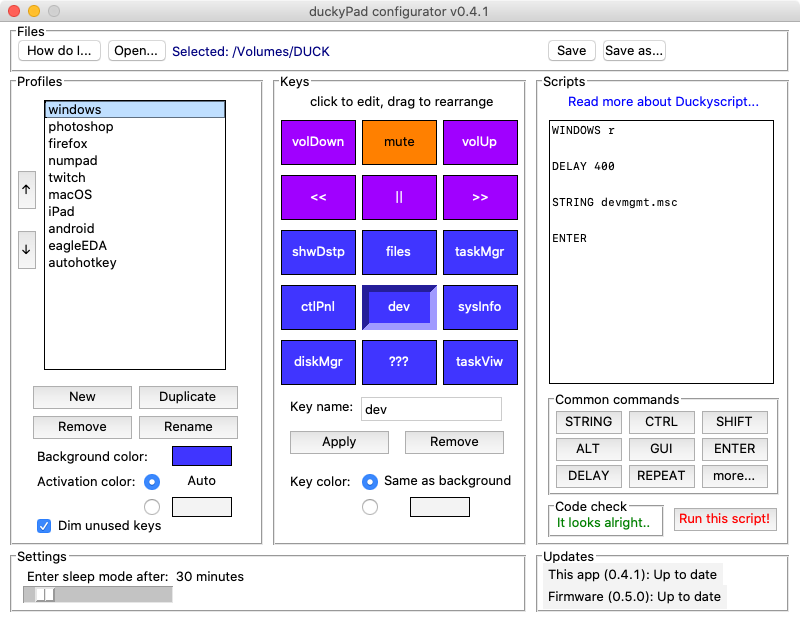
Use the open-source configurator to set up your duckyPad Pro.
-
Windows Mac Linux - No account / subscription needed
- No data collection / telemetry
Profile Auto-switching
- Automatically jump to the appropriate profile
- Based on current active window
USB-C and Device Compatibility
duckyPad uses USB-C connector for maximum device compatibility.
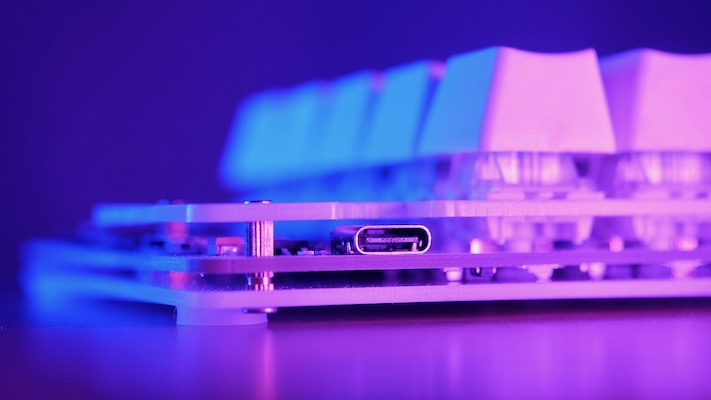
You can use duckyPad out-of-box on pretty much anything that supports USB keyboards, no driver needed. Examples include:
- PC
- Mac
- Linux
- Raspberry Pi
- iPhone / iPad
- Android phones and tablets
- Chromebooks
- Game consoles
duckyPad’s firmware can also be easily updated via USB-C for new features and bug fixes.
Keyboard Layouts
duckyPad supports multiple keyboard layouts:
- English (US)
- English (UK)
- French
- Belgium
- German
- Dvorak
- …and more user-created layouts!
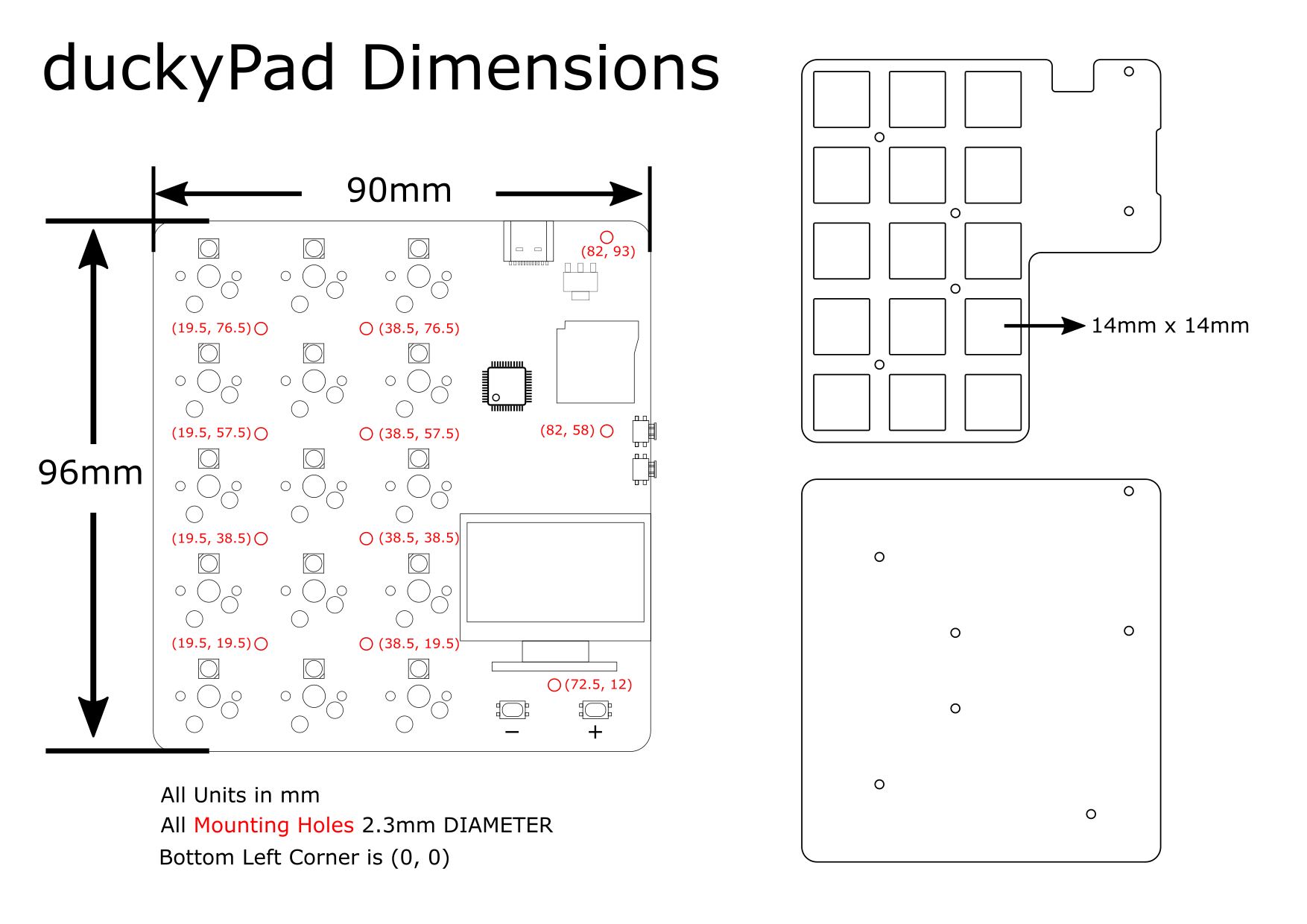
Dimensions
Click me for vector files of front and back plates.
Click me for dimensions drawings.
Getting Started
Please see the instruction manual on how to use your duckyPad.
I Want One!
duckyPad is now available on Tindie.
Also consider joining our discord for latest updates and discussions.
Table of Contents
Common issues / Troubleshooting
Firmware Updates and Version History
Kickstarter Backer Acknowledgments
Questions or Comments?
Please feel free to open an issue, ask in the official duckyPad discord, DM me on discord dekuNukem#6998, or email dekuNukem@gmail.com for inquires.